Powerful Features
Everything you need to automate your Tally data entry — from smart mapping to AI validation to one-click import.
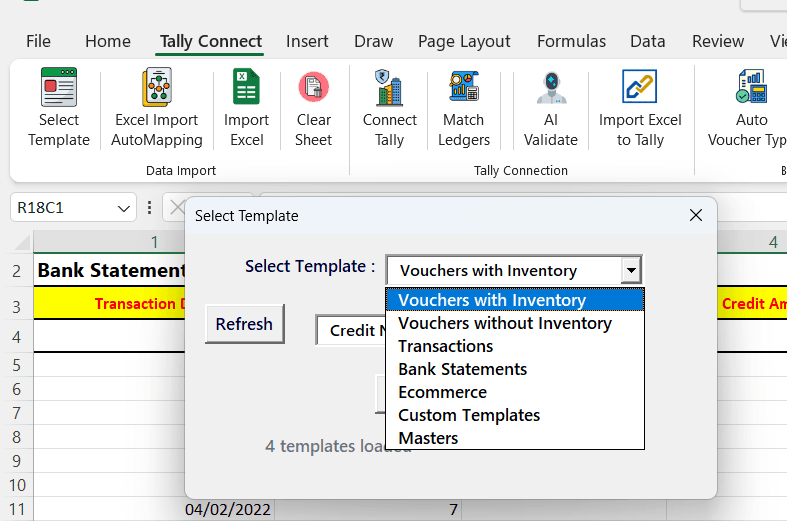
All-in-One Template
One Template, 20+ Formats — Just Select and Go
- Only one Excel template needed — automatically switches between 20+ template types from a dropdown
- Voucher Templates: Sales, Purchase, Credit Note, Debit Note — with and without inventory
- Transaction Templates: Receipt, Payment, Journal, and Contra vouchers
- Bank Statement Templates: Pre-formatted for all major Indian banks
- E-Commerce Templates: Amazon, Flipkart, Meesho, and more marketplace formats
- Custom Templates with Multi Debit/Credit voucher import mode — supports inventory items
- Masters Templates: Bulk create Ledgers, Stock Items, Cost Centers, and more
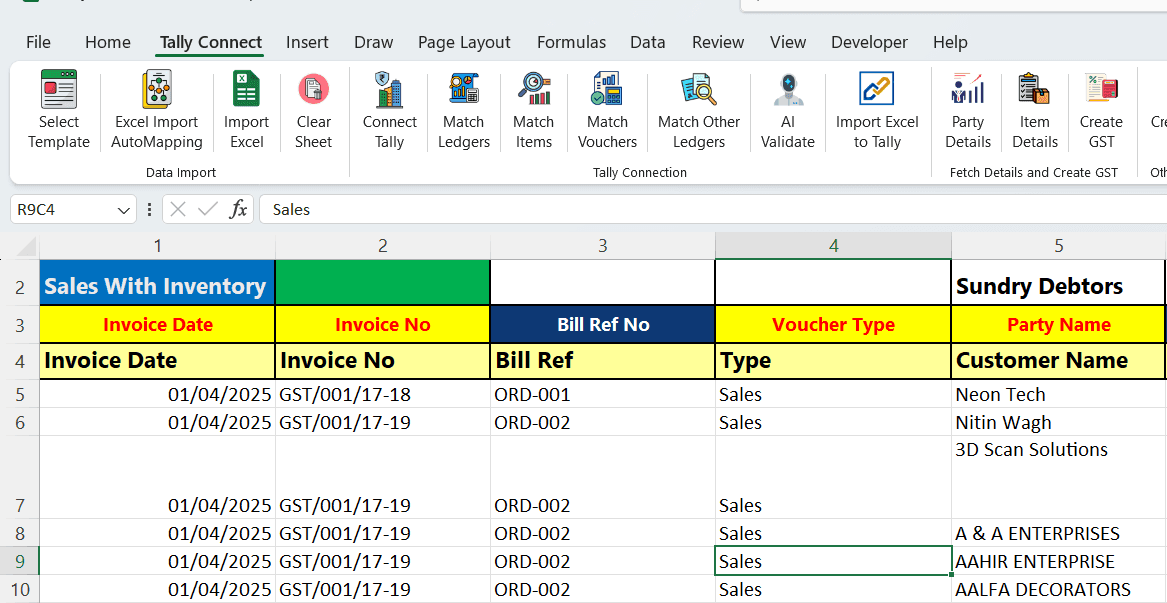
Auto-Mapping
Intelligent Column Matching for Effortless Import
- Automatically matches your data file headings with template headings — no manual mapping needed
- Validates formatting of amount and date columns in real-time as you map
- Change mapping on the fly and choose to import only specific columns
- Dramatically reduces manual work and eliminates mapping errors
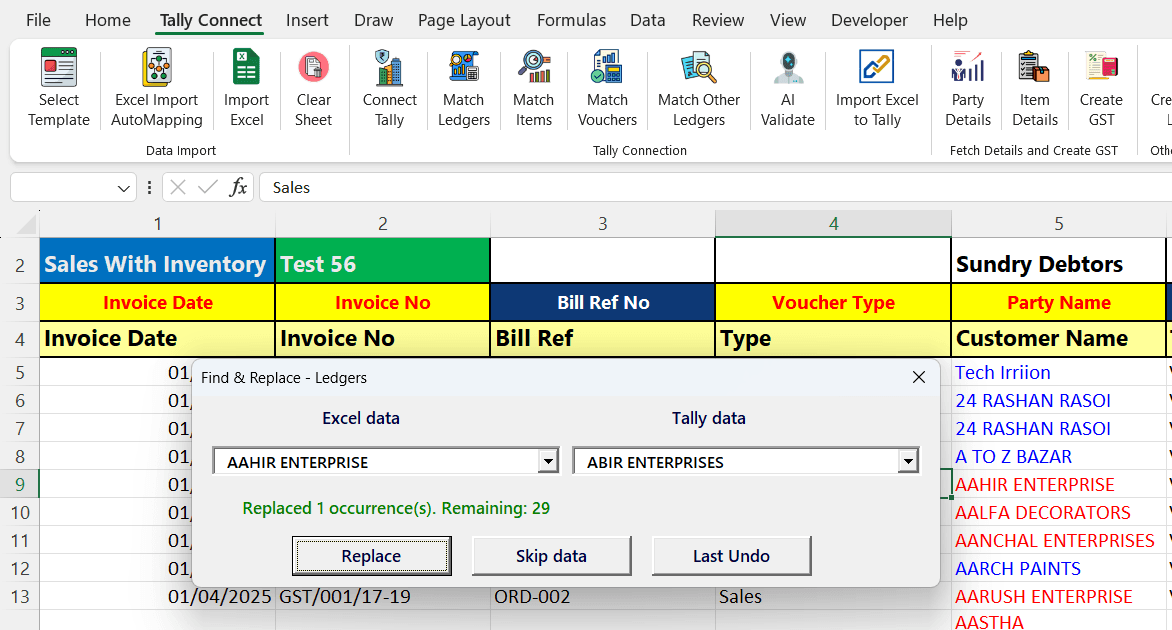
Match Party Ledger, Items & Other Ledgers
Smart Find & Replace with Tally Data Validation
- Matches your Excel data with Tally data to validate before import — catch mismatches early
- Smart Find & Replace lets you correct unmatched entries in bulk with one click
- Auto-suggests closest Tally matches for unmatched data to speed up corrections
- Works for Party Ledgers, Stock Items, Tax Ledgers, and all other ledger types
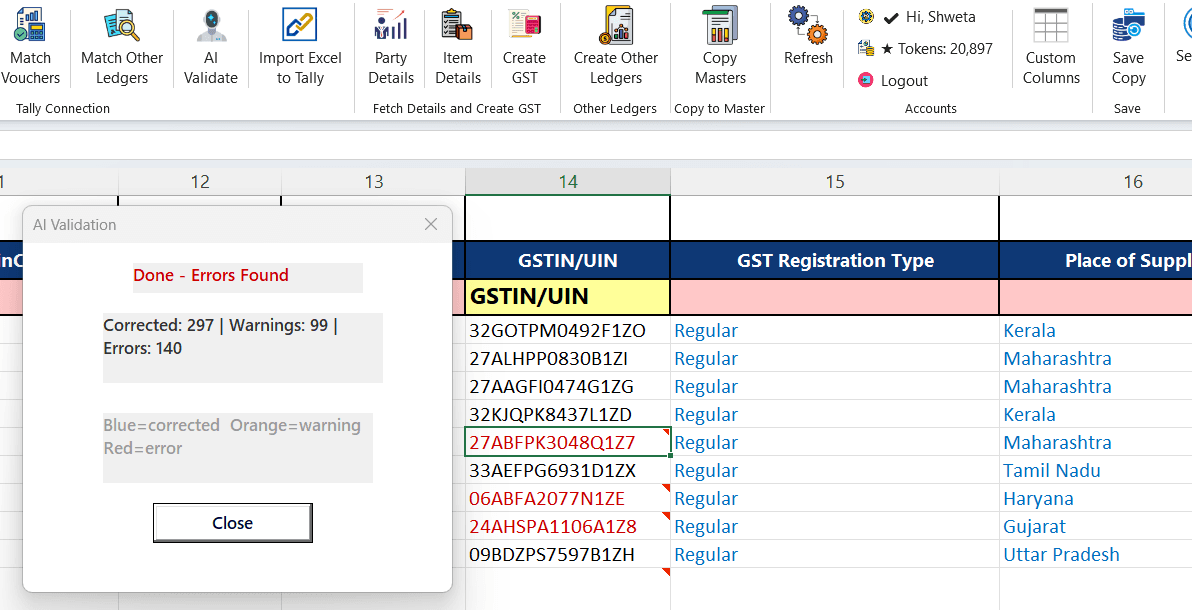
AI Validation
Real-Time Data Validation with Tally for Error-Free Import
- GSTIN Validation — Pattern check (15-char format), auto-uppercase, highlights invalid entries
- State & Place of Supply — Normalizes state names, derives from GSTIN, auto-fills for Sales/Credit Notes
- Date Correction — Parses multiple formats, converts to Tally format, validates against financial year range
- Amount Rounding — Rounds to 2 decimal places for clean import
- GST Rate Validation — Validates against known rates (0, 0.25, 3, 5, 12, 18, 28%)
- HSN Code Validation — Checks length (4/6/8 digits) and numeric format
- GST Registration Type — Normalizes to valid Tally values (Regular, Unregistered, Composition, etc.)
- Country & Voucher Type Correction — Normalizes country names and fuzzy-matches voucher types
- Color-coded results: Blue = auto-corrected, Orange = warnings, Red = errors requiring attention
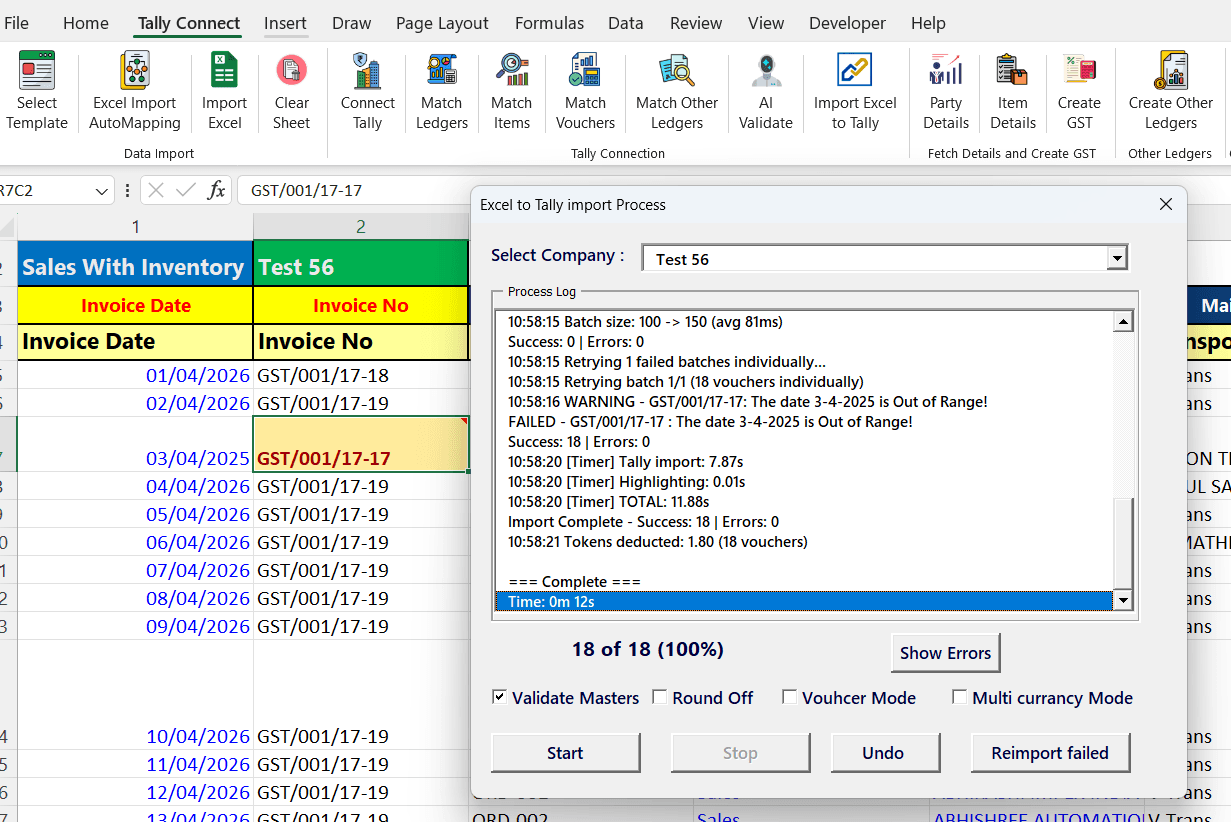
Excel to Tally Import
Direct Import with Smart Batch Processing
- Imports data directly from Excel to Tally — no third-party software or XML import/export needed
- Validates data and auto-creates missing ledgers and items with proper details before import
- Batch processing for faster imports, optimized to your Tally software's response time
- Add round-off ledgers in real-time during import
- Multi-currency import support for international transactions
- Switch voucher mode on the fly during import
- One-click Undo — reverse imported records instantly if something looks wrong
- Smart Import Dashboard shows real-time progress, success count, and error log
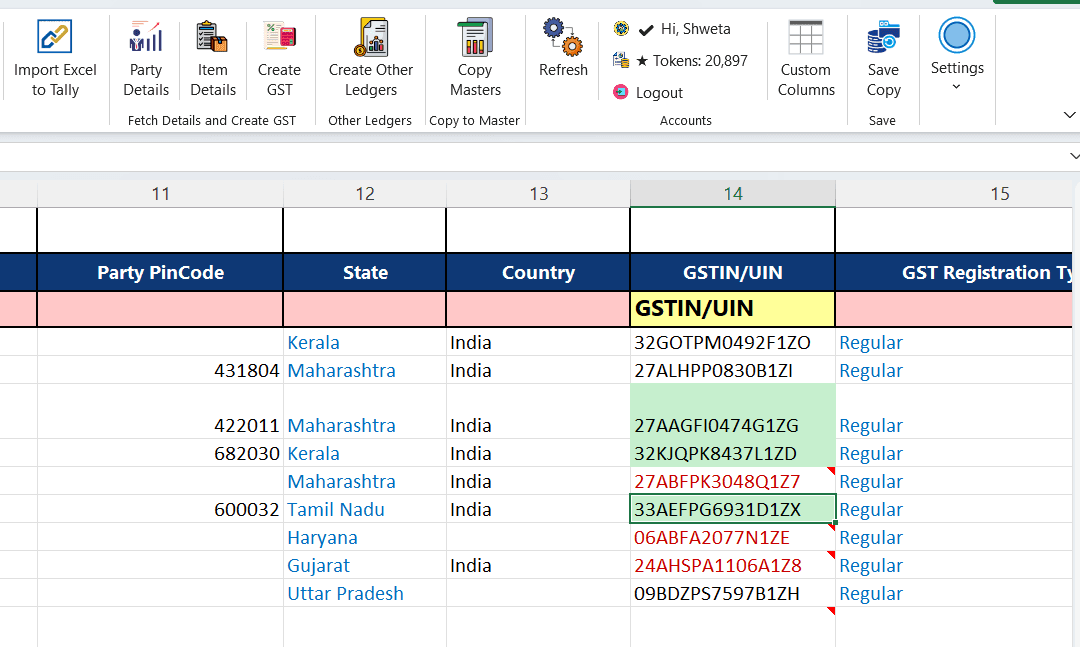
Fetch Party Details
Auto-Fill Party Information from Tally & GST Portal
- Fetches party details from Tally to ensure voucher imports have matching information
- If details are missing in Tally, fetch them directly from the GST Portal using GSTIN number
- Auto-fills State, PinCode, Country, GST Registration Type, and more
- Ensures complete and accurate party master data for every voucher
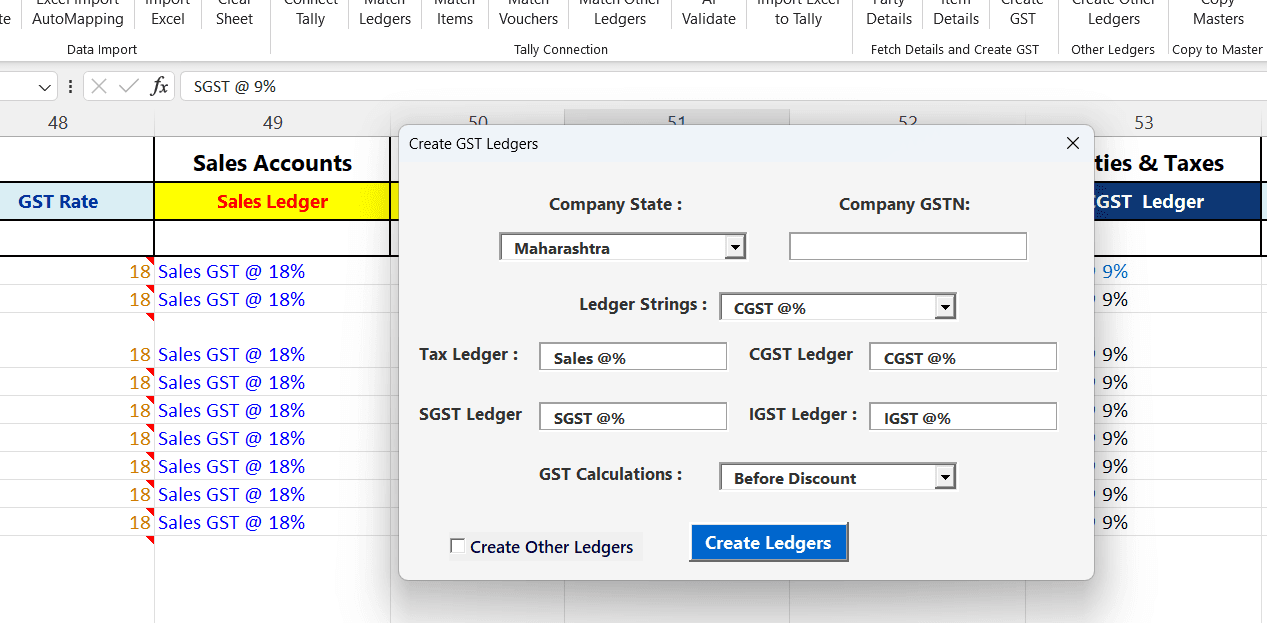
Auto Create GST Ledgers
One-Click GST Ledger Setup Based on Company & Party State
- Automatically detects your company state and matches it with party place of supply
- Creates the correct tax ledgers (CGST, SGST, or IGST) with proper naming and rates
- Configurable ledger string format — customize naming like "CGST @%", "SGST @%"
- Supports GST calculations before or after discount
- Option to create other ledgers (Sales, Purchase, etc.) alongside tax ledgers
- Eliminates manual GST ledger creation — no more spelling mistakes or missing rates
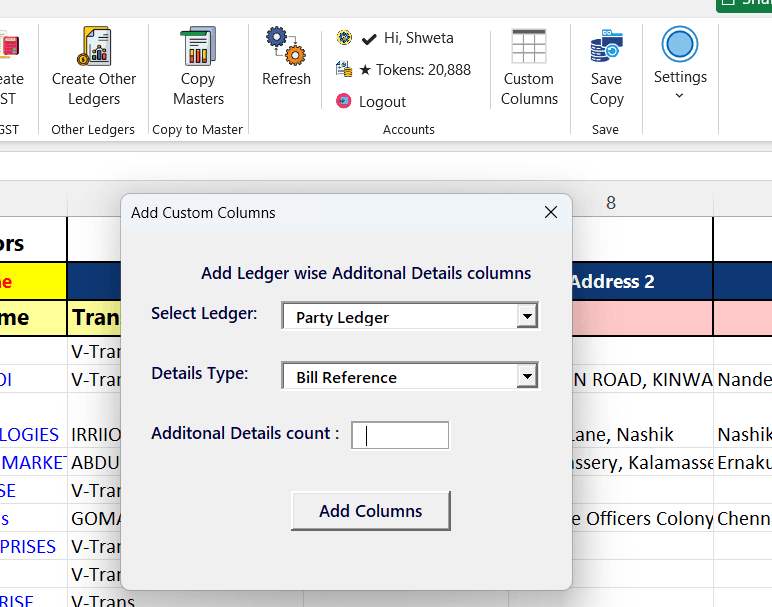
Custom Columns
Unlimited Bill References & Cost Centers Per Ledger
- Add as many Bill Reference and Cost Center columns as needed for any ledger — in real-time
- Select the ledger type and detail type (Bill Reference, Cost Center, etc.)
- Columns are added automatically to the Excel template as you specify
- The biggest advantage of Excel templates — complete flexibility without any fixed column limits
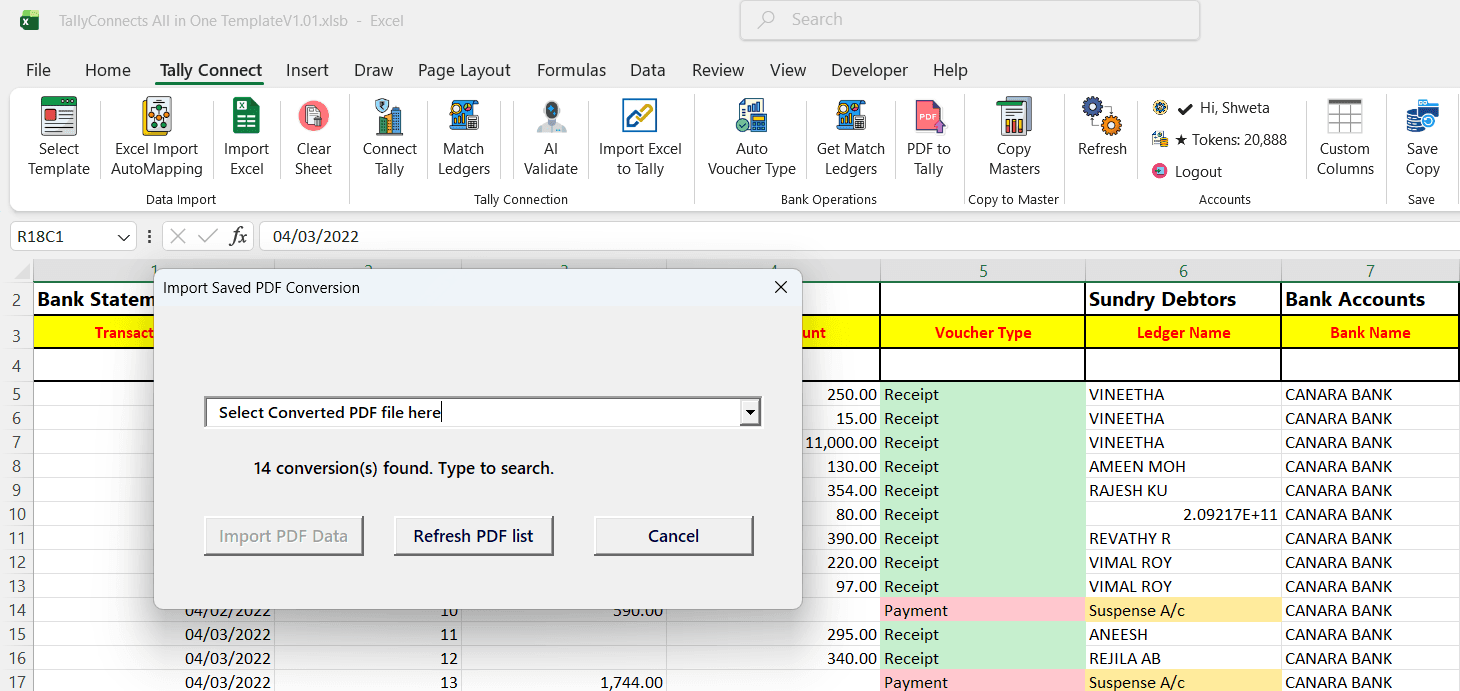
Bank Statement Import
PDF to Excel Conversion with Smart Ledger Matching
Learn More →- Convert PDF bank statements to structured Excel data with one click
- Auto-suggests party ledger names by matching narration text with Tally ledgers
- Automatically assigns voucher type (Receipt/Payment) based on debit/credit amounts
- Supports all major Indian banks — select from saved PDF conversions
- Review and edit converted data before importing to Tally
Ready to Automate Your Tally?
Download TallyConnects and start importing data in minutes.
Download Now